Jak skanować bilety papierowe z kodem QR w urządzeniach Systemu FALA ?
Pokaż instrukcję dla:
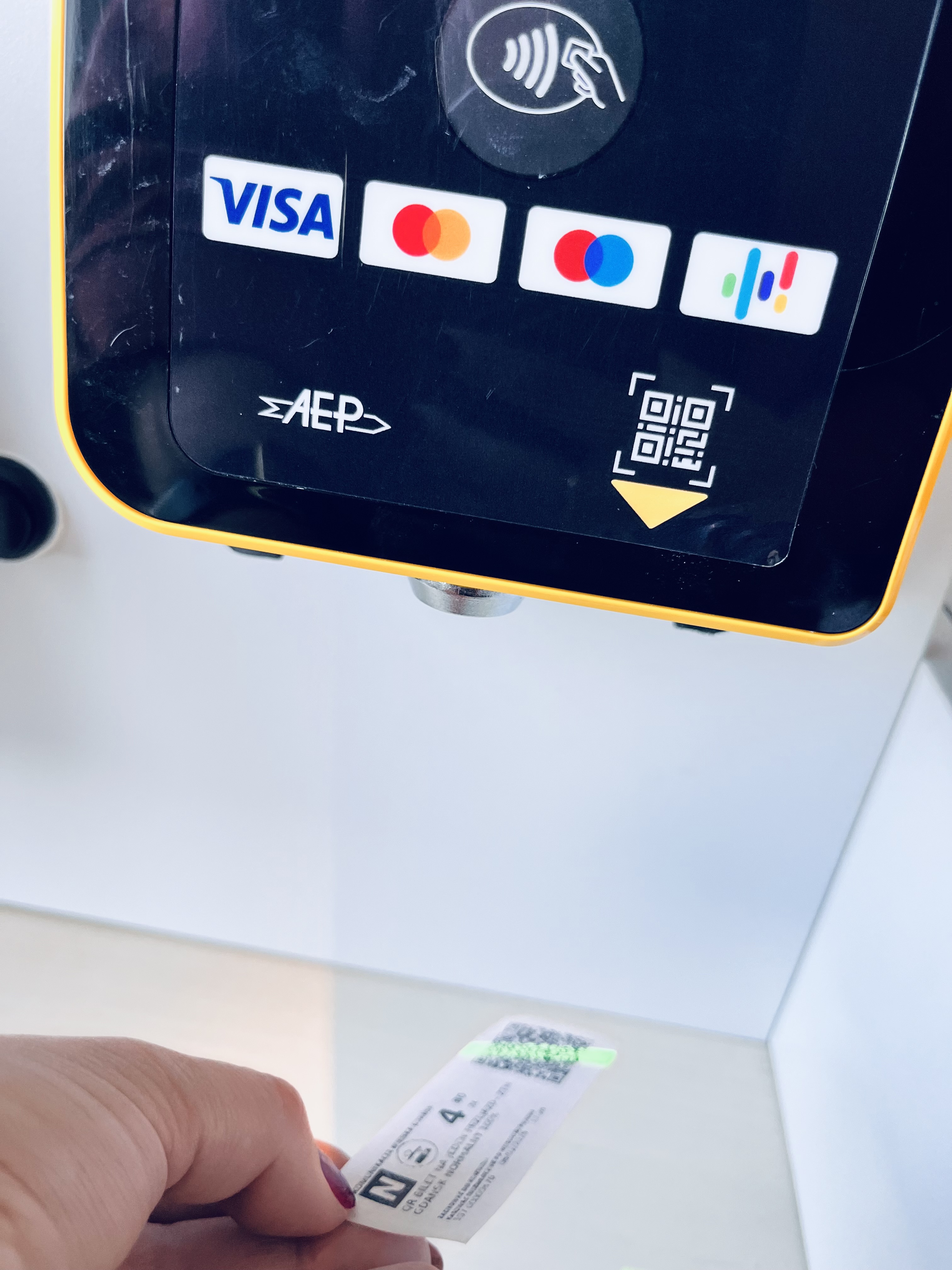
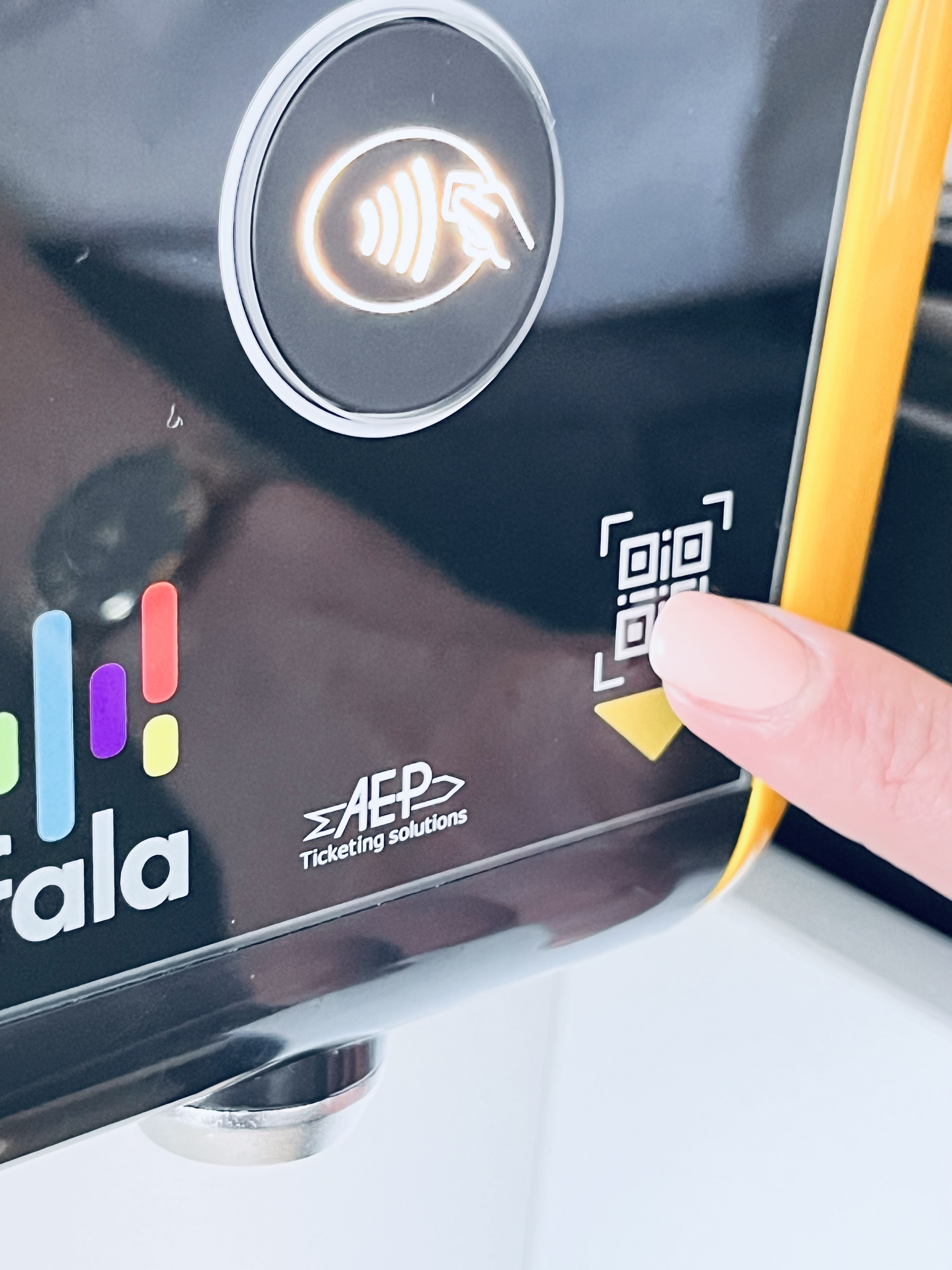
Skaner kodów QR umieszczony jest od spodu urządzenia FALA (czytnika i falomatu), w jego prawej, dolnej części, tak jak prowadzi żółta strzałka pod symbolem kodu QR.
Aby zeskanować kod QR z papierowego biletu, należy podłożyć bilet od spodu urządzenia w odległości 10-15 cm od urządzenia - tak jak na poniższym zdjęciu.
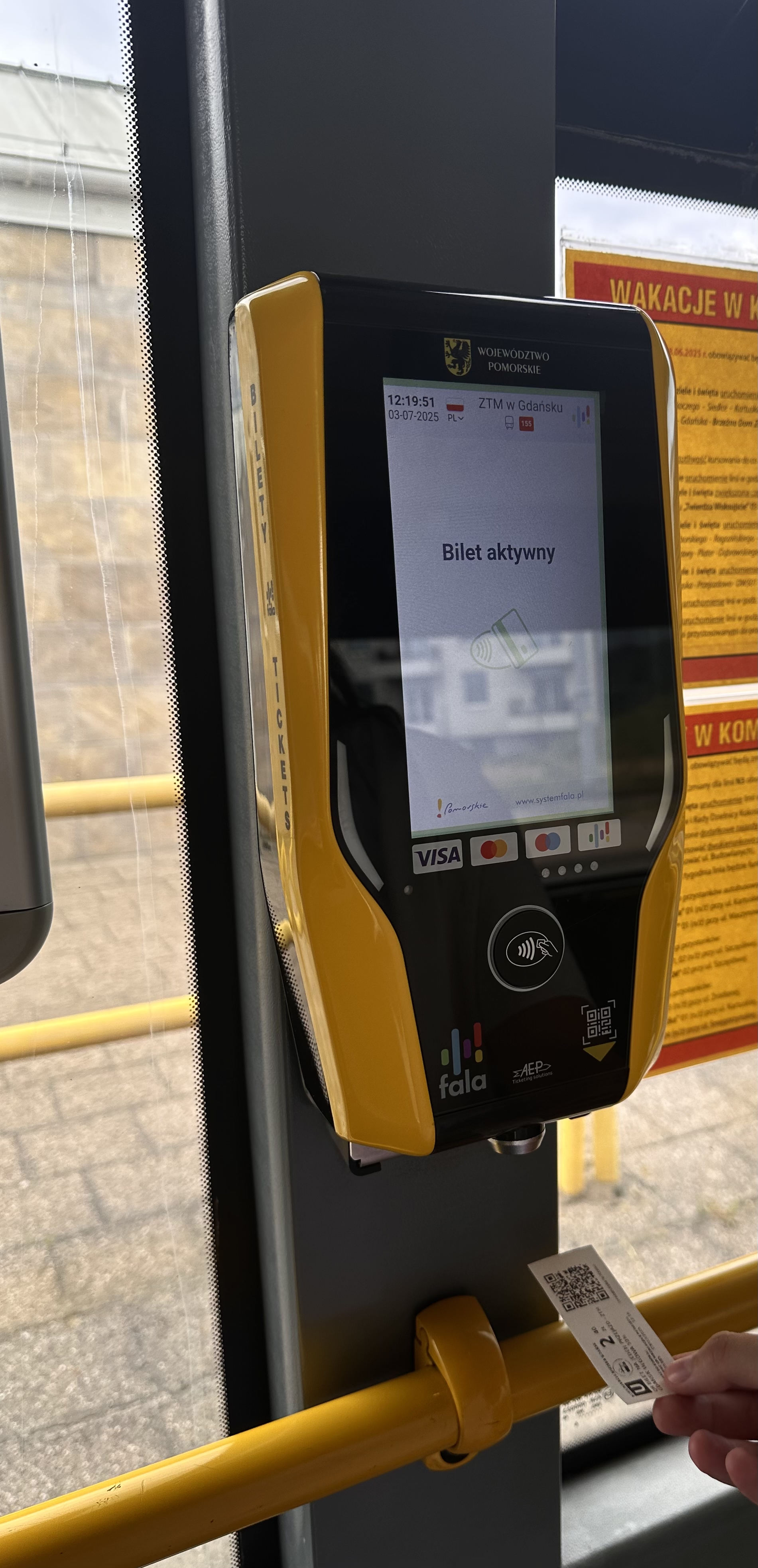
Na potwierdzenie zeskanowania biletu na ekranie pojawi się komunikat "Bilet aktywny" oraz rozlegnie się sygnał dźwiękowy.
WAŻNE!
- Jeśli z jakiegoś powodu zeskanowanie biletu papierowego w urządzeniu Systemu FALA nie jest możlwie np. wyskakuje komunikat "Błąd odczytu" lub inny, należy skorzystać ze starych kasowników, kasując bilet w tradycyjny sposób czyli wkładając bilet do urządzenia.
- Sprawdzenie statusu oraz ważności biletu papierowego sprawdzisz w falomacie, za pomocą funkcji "Sprawdź bilet bez konta FALA".