Jak kupić bilet przez portal www.systemfala.pl?
1. Załóż konto i zarejestruj się.
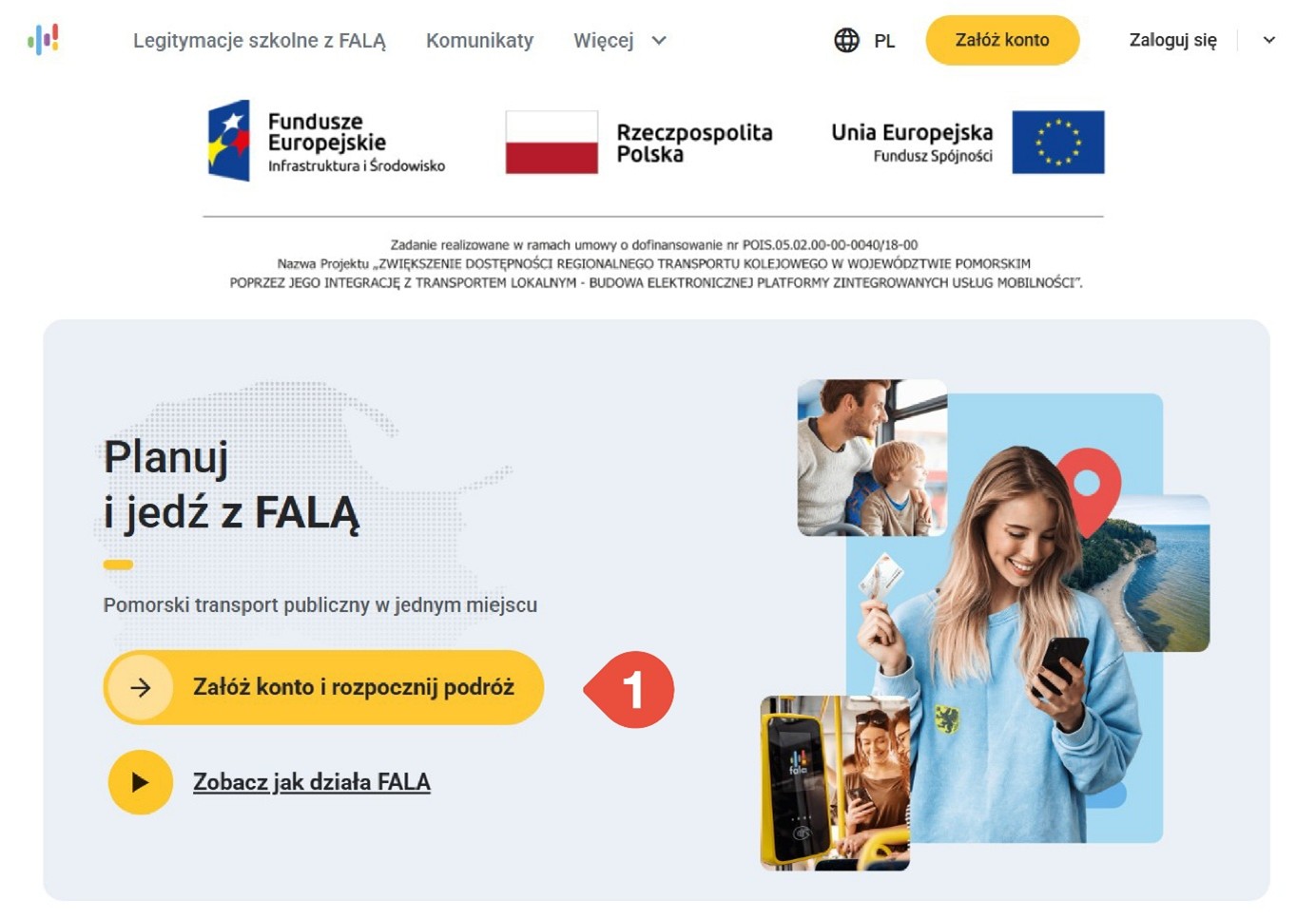
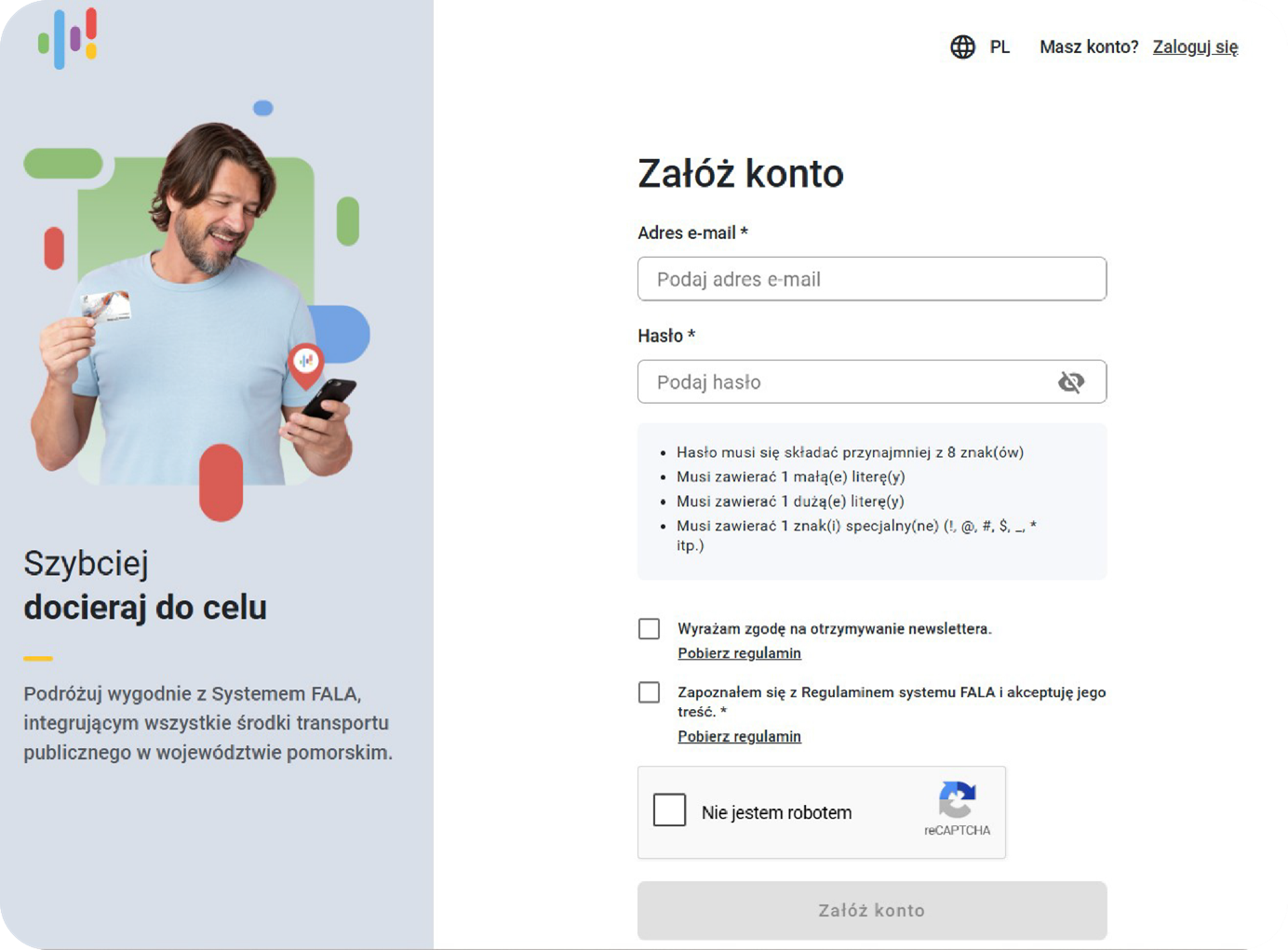
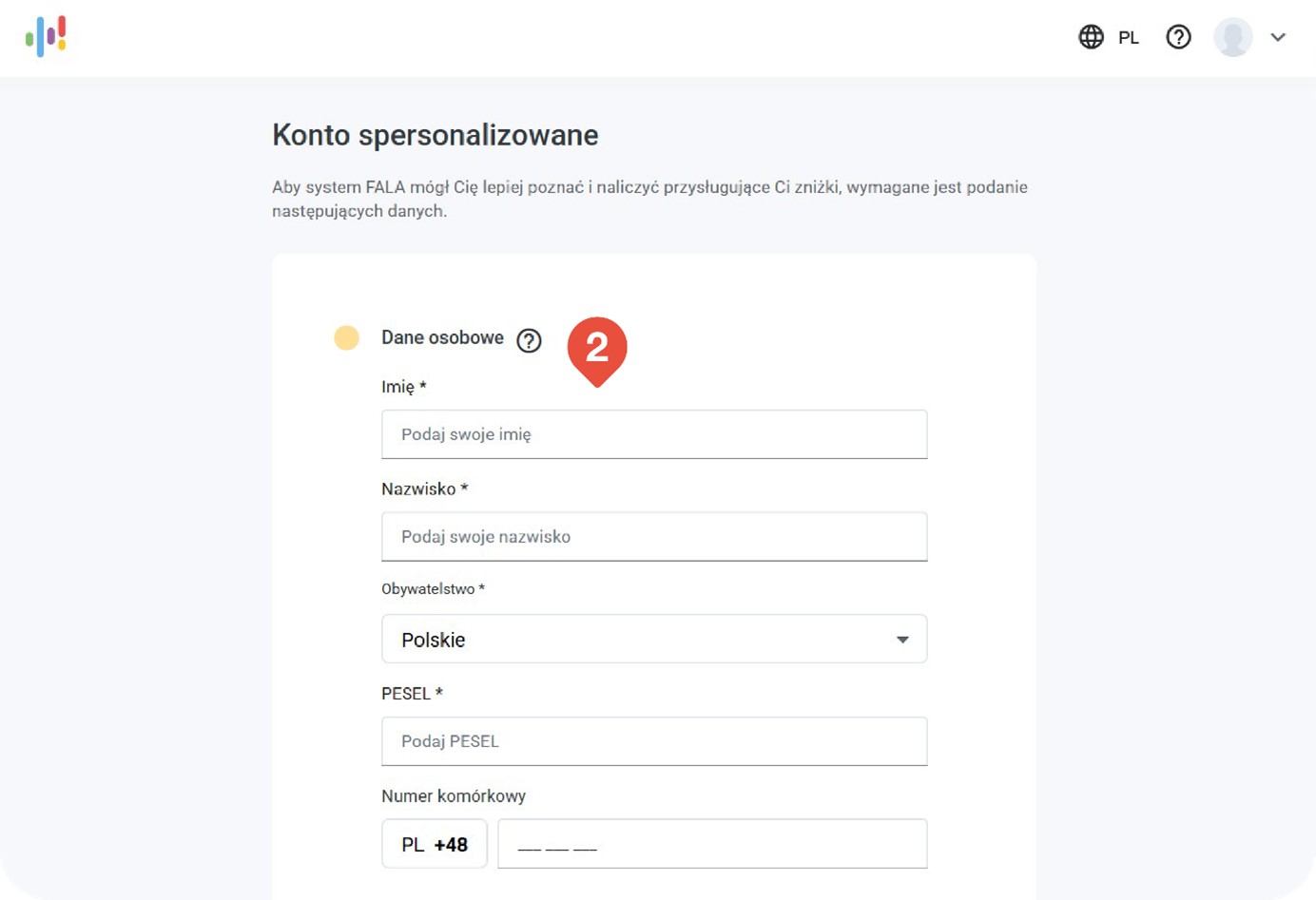
2. Spersonalizuj konto.

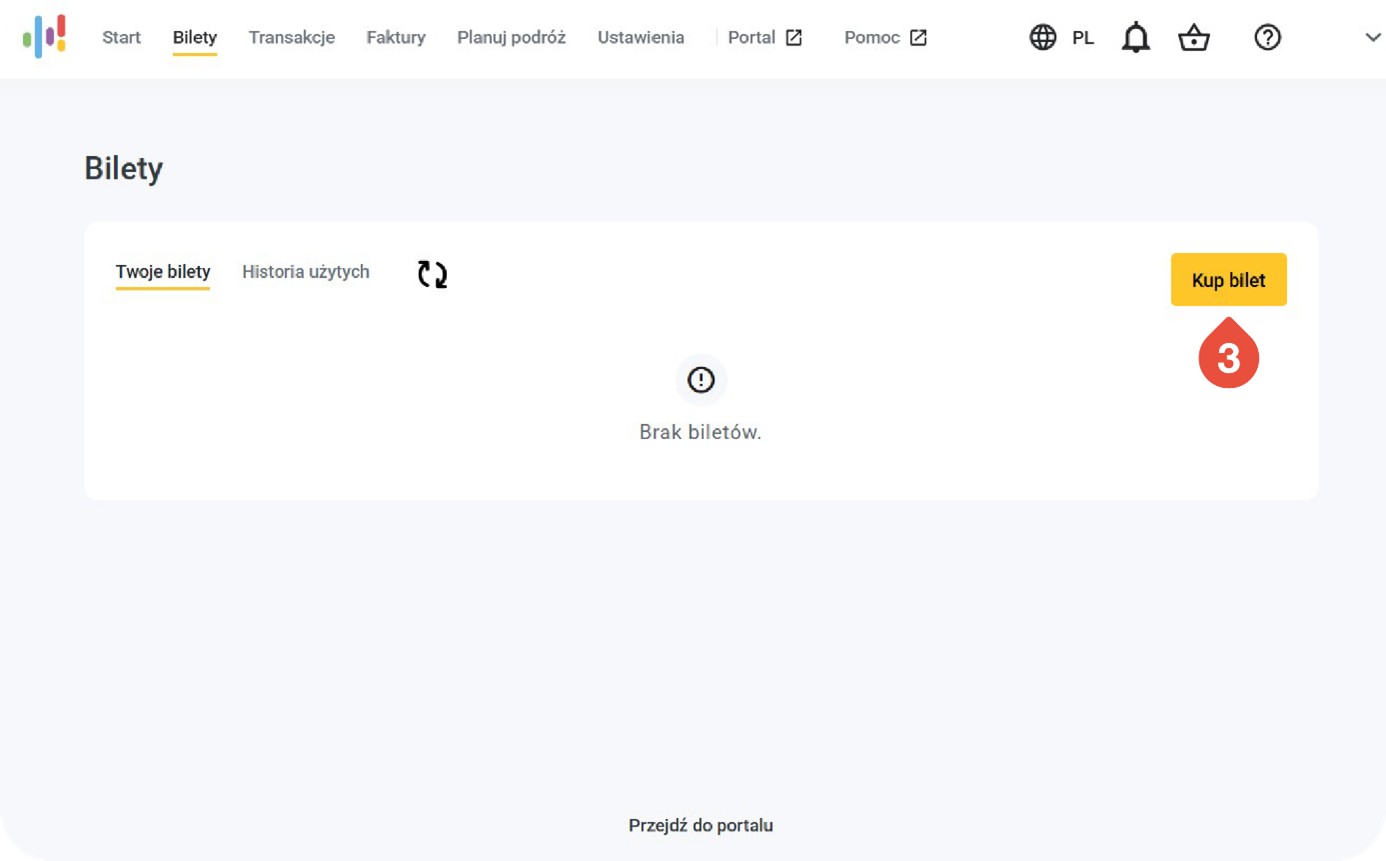
3. Przejdź do zakładki bilety i wybierz KUP BILET.
4. Wybierz organizatora transportu, u którego chcesz kupić bilet.
5. Określ typ biletu.
6. Wybierz rodzaj ulgi.
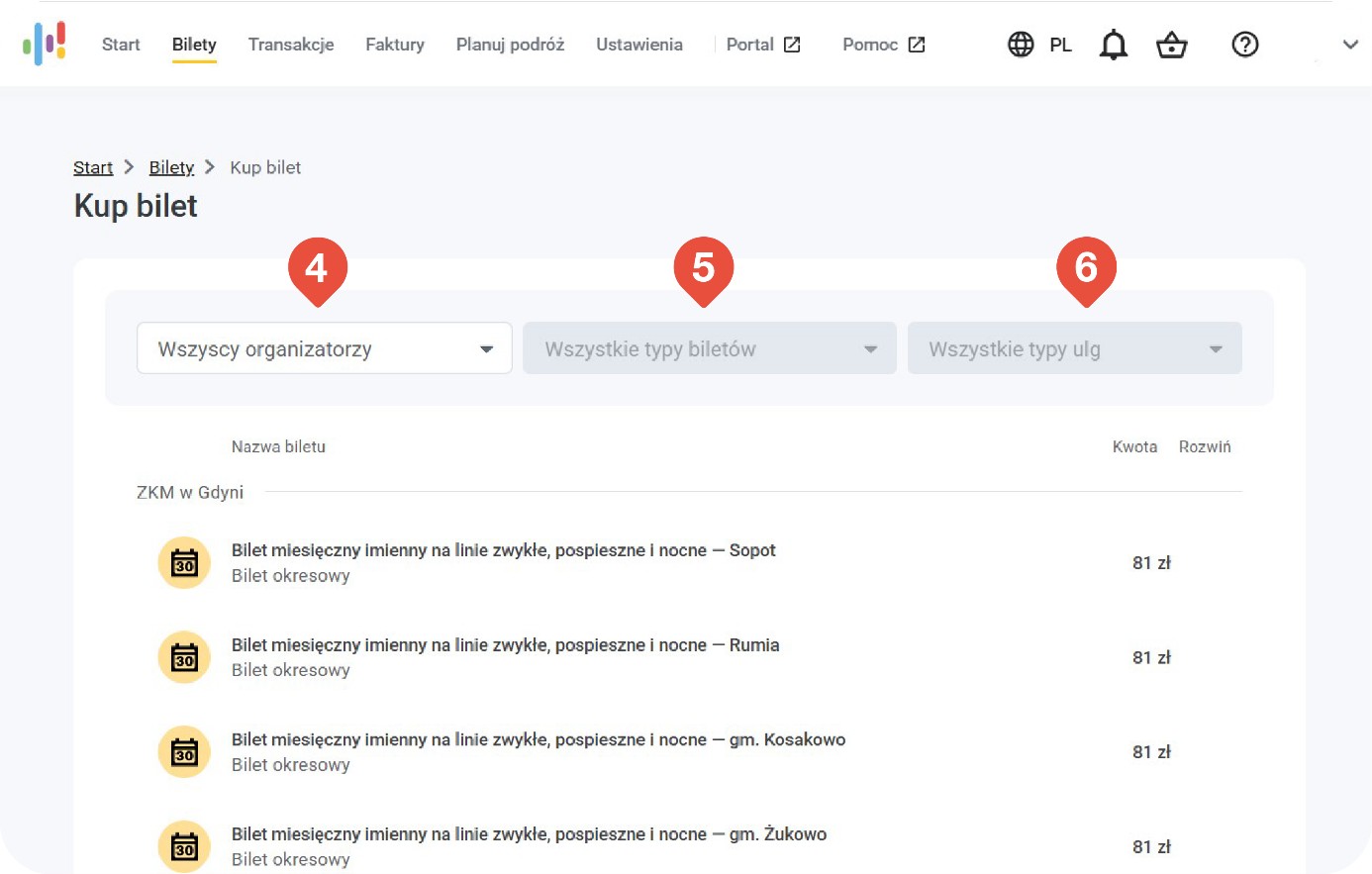
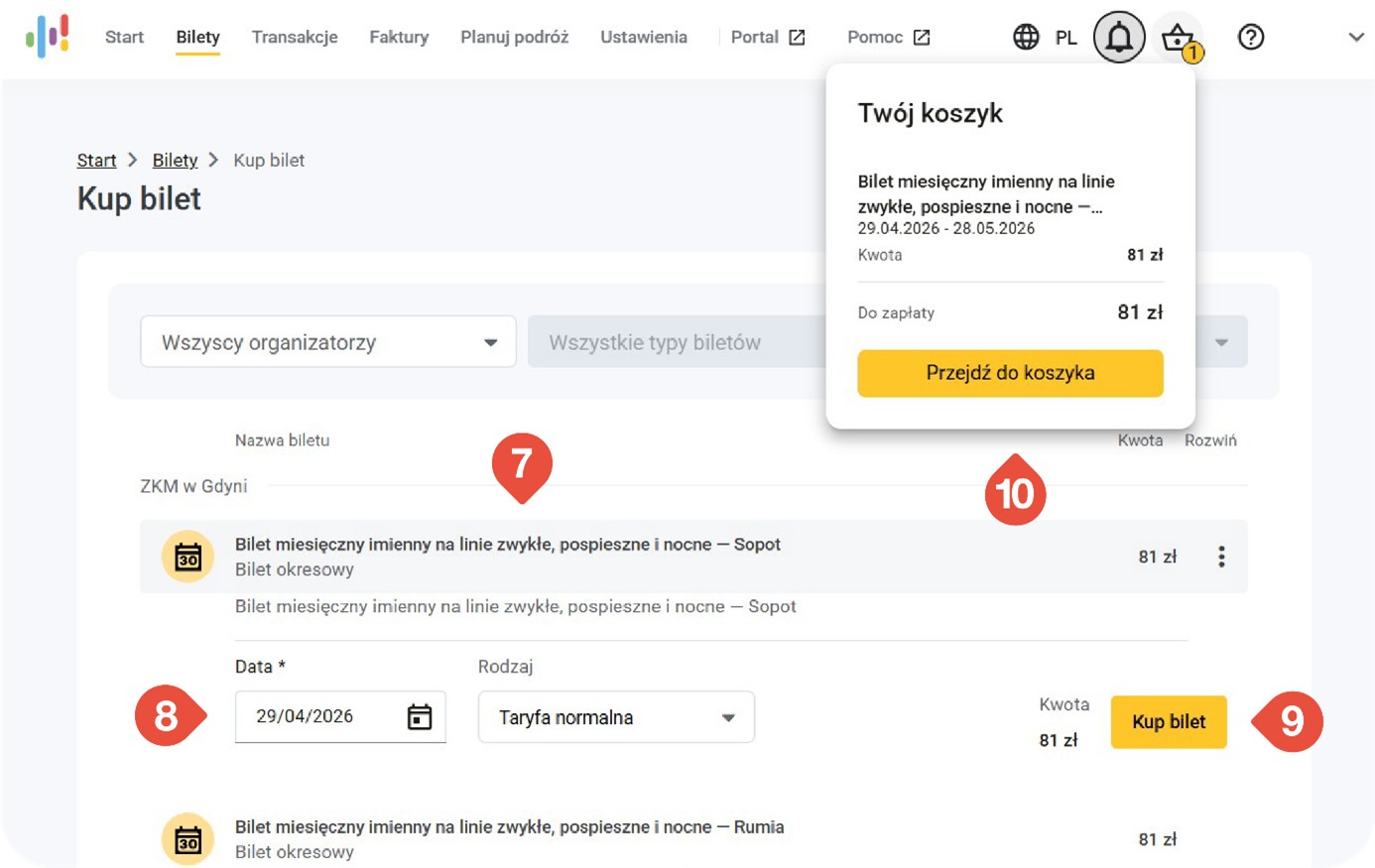
7. Następnie wybierz z listy taki bilet, jaki chcesz kupić.
8. Zaznacz od kiedy ma być ważny.
9. Potwierdź zakup biletu, wciskając przycisk KUP BILET.
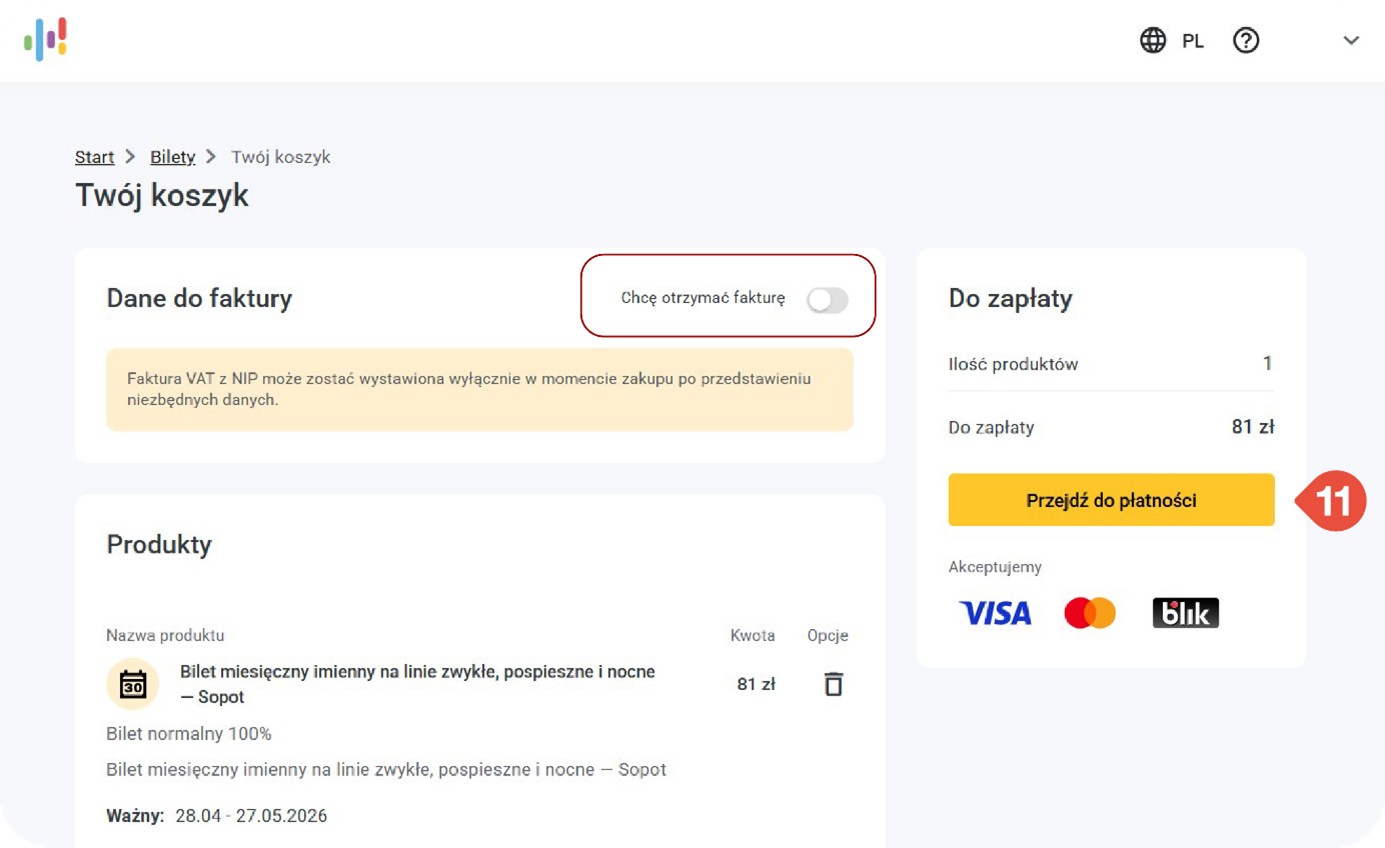
10. Kliknij w ikonę a następnie – w przycisk PRZEJDŻ DO KOSZYKA Sprawdź, czy wszystkie dane są poprawne, i kliknij w PRZEJDŹ DO PŁATNOŚCI.
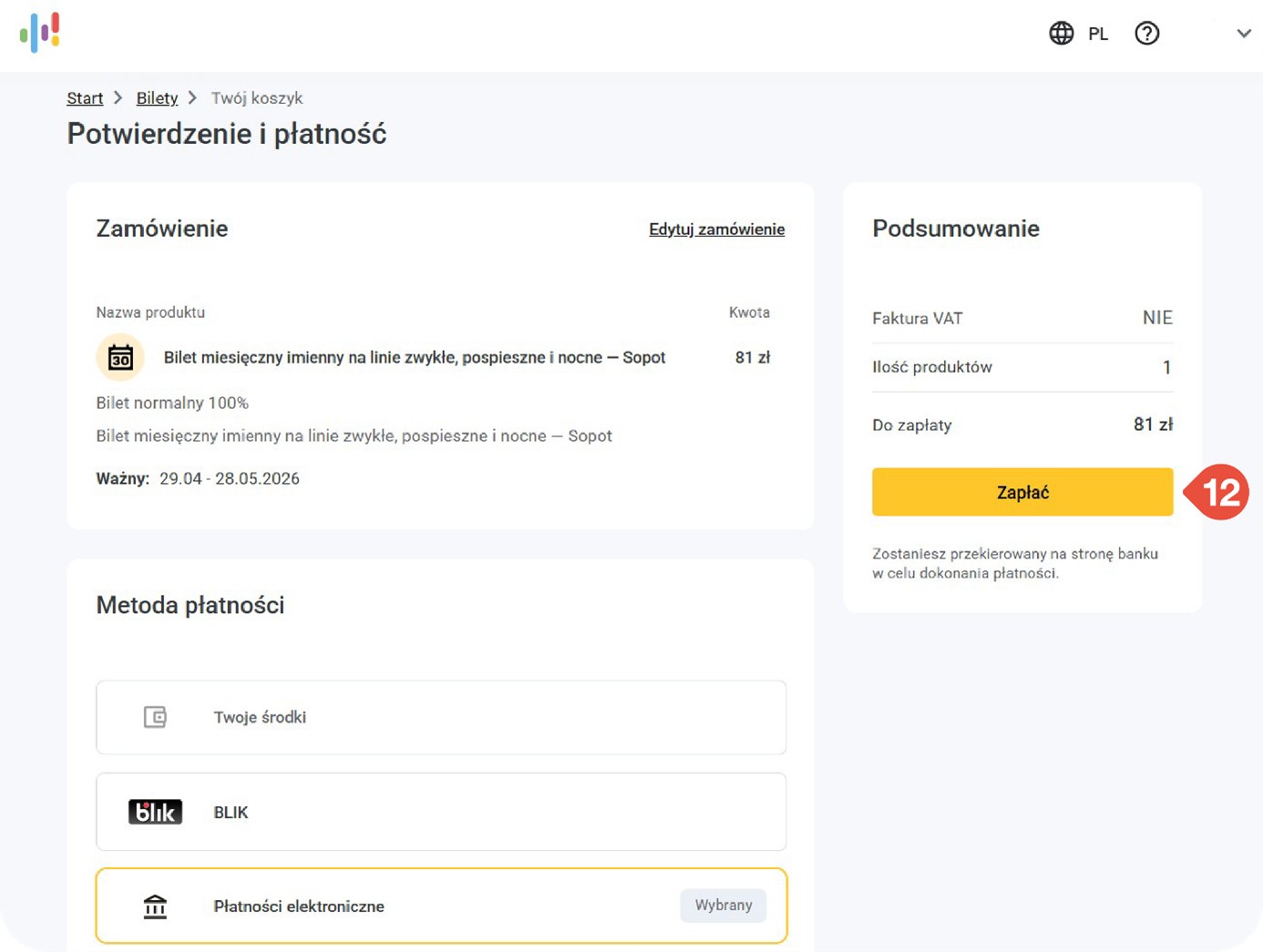
11. Sprawdź, czy wszystkie dane są poprawne, i kliknij w PRZEJDŹ DO PŁATNOŚCI.
12. Podczas kontroli biletów okaż identyfikator przypisany do Twojego konta FALA, np. Kartę FALA lub kartę płatniczą. Jeśli masz aplikację System FALA, możesz też pokazać kod QR z zakładki TWOJE BILETY.
13. Podczas kontroli biletów okaż identyfikator przypisany do Twojego konta FALA, np. Kartę FALA lub kartę płatniczą. Jeśli masz aplikację System FALA, możesz też pokazać
kod QR z zakładki TWOJE BILETY.